Attention
Share
super 3D Universal 360 panoramic image four-way driving recorder HD parking assist support Japanese and Korean
Price GH¢ 2,911.13
Coupons
More>
Comprehensive Score
5
cumulative comments 0Goods Guarantee 100% authenticity guarantee
Delivery address China
Ship to
Color classification
Quantity
Inventory 433
TospinoMall Commitment
TospinoMall guarantees the security of your transaction: we will only allocate funds to the seller after the buyer confirms the receipt of the goods!
Special recommendation
Tuofei019
Enter Store
Favorite Stores
Hot Picks of the Store
- GH¢ 260.68
- GH¢ 121.30
- GH¢ 4,932.22
- GH¢ 1,164.88
- GH¢ 774.19
- GH¢ 513.73
- GH¢ 1,842.24
- GH¢ 1,691.71
- GH¢ 481.18
- Applicable to Volkswagen Series Wireless carplay module decoder box Apple Android navigation 6.5/8.0GH¢ 4,932.22
- GH¢ 571.20
- GH¢ 854.10
- GH¢ 1,253.67
- GH¢ 832.96
- GH¢ 1,875.22
- GH¢ 1,312.87
- GH¢ 498.93
- GH¢ 1,291.72
- GH¢ 720.92
- GH¢ 1,490.45
本店销售中产品标价,均为不含税报价,需开票请联系客服报含税价
 |
|
|
|
|||||||||||||||||||||||||||||||
|
|
|
|||||||||||||||||||||||||||||||
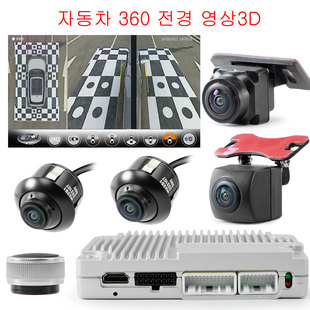
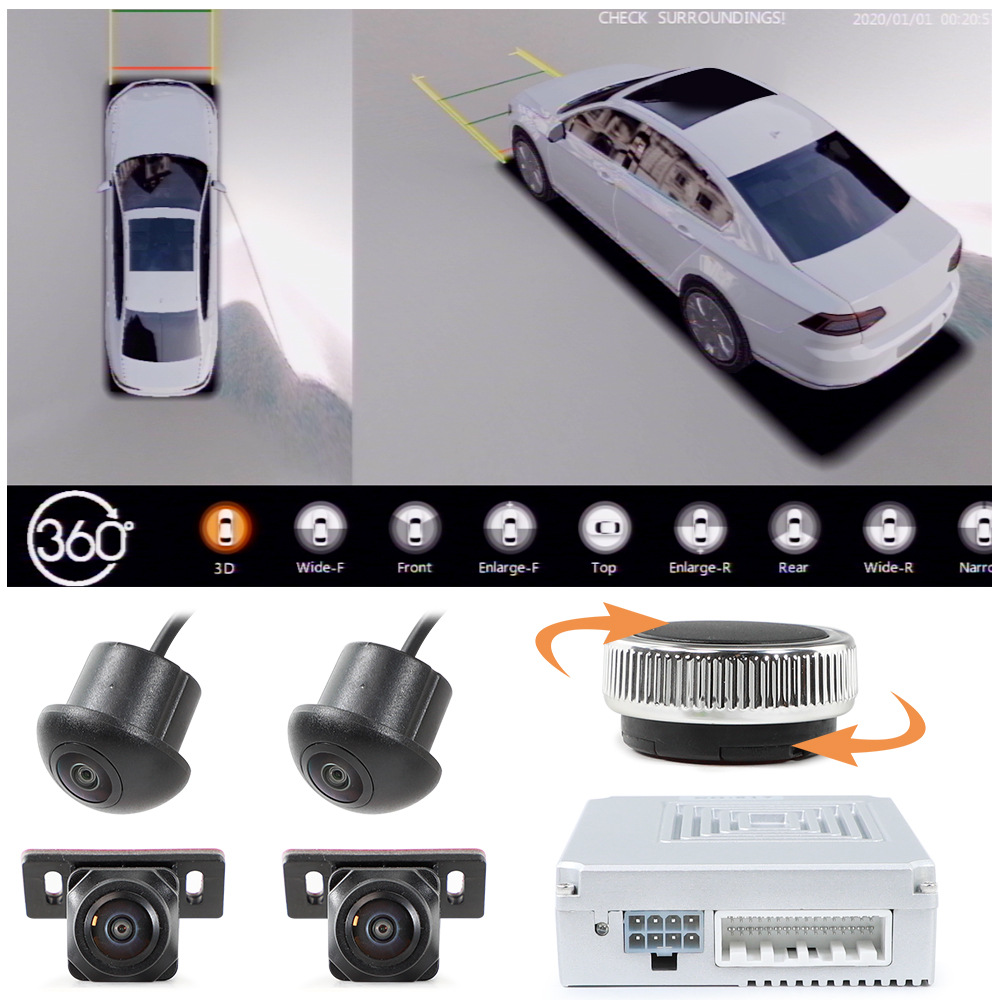
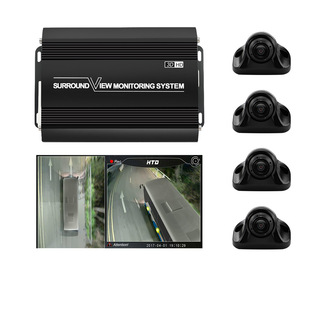

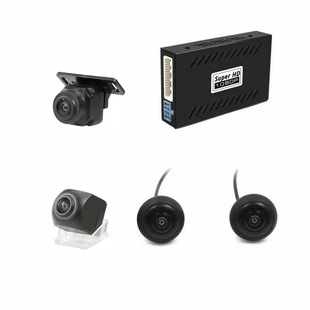
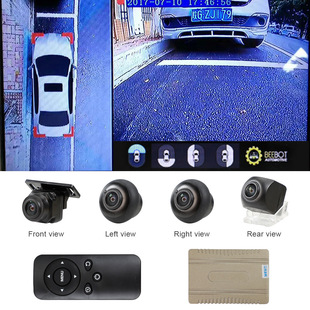
360度全景泊车系统,后视系统源头厂家,本公司库存充足,可提供免费镭雕LOGO,ODM&OEM,一件代发等服务,欢迎贸易公司,跨境电商,国内批发商前来洽谈合作
工厂现货充足,当天可发货,无特殊要求的亲可直接拍下
广州车上宝电子科技有限公司
工厂地址:广州市白云区鹤边鹤北大田四横路2号2楼
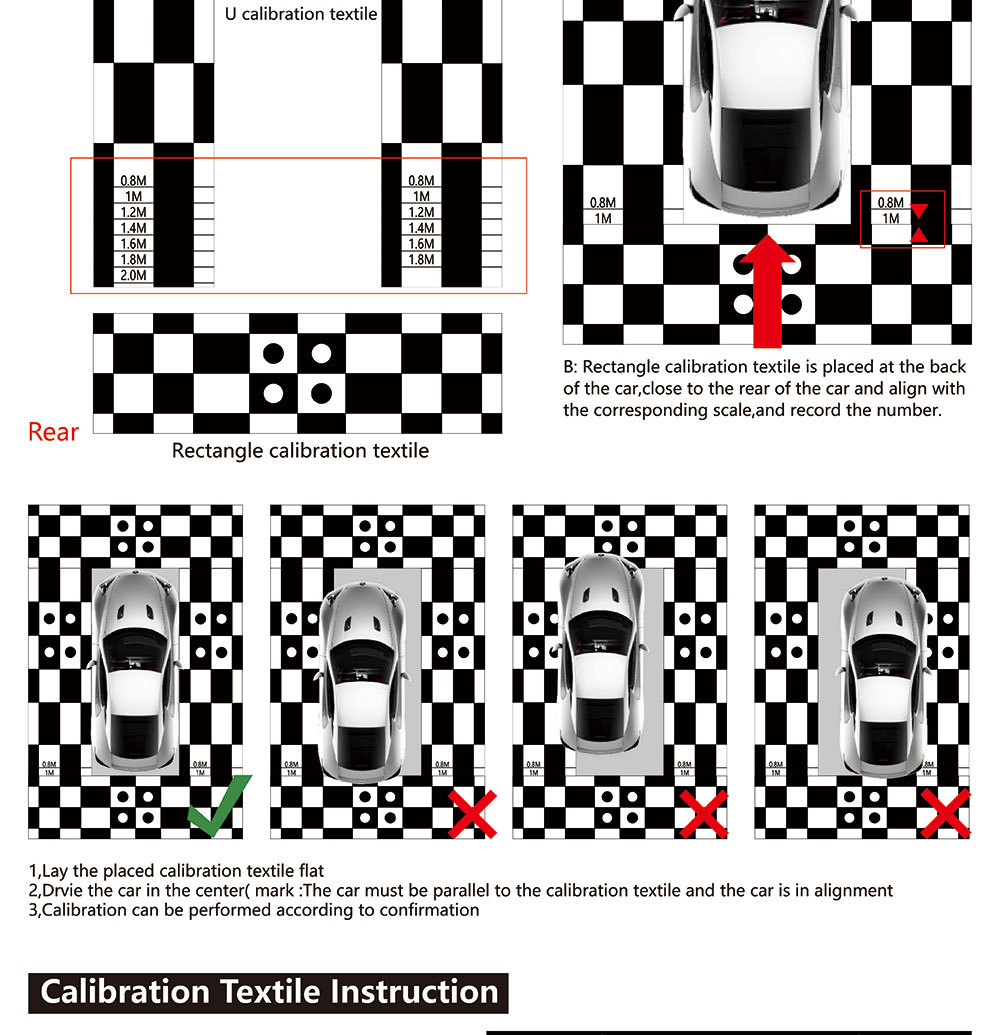
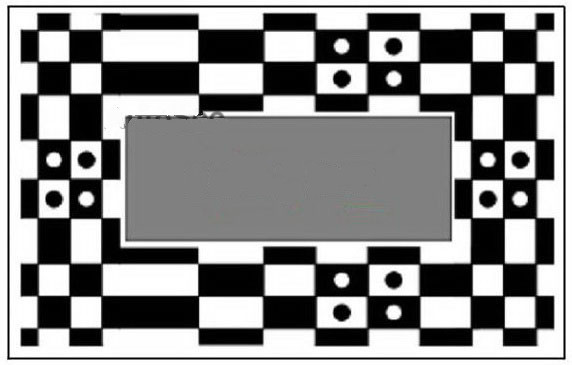
此款全景需要大拼接布做校正,标配不包含校正布,点击购买
中文说明
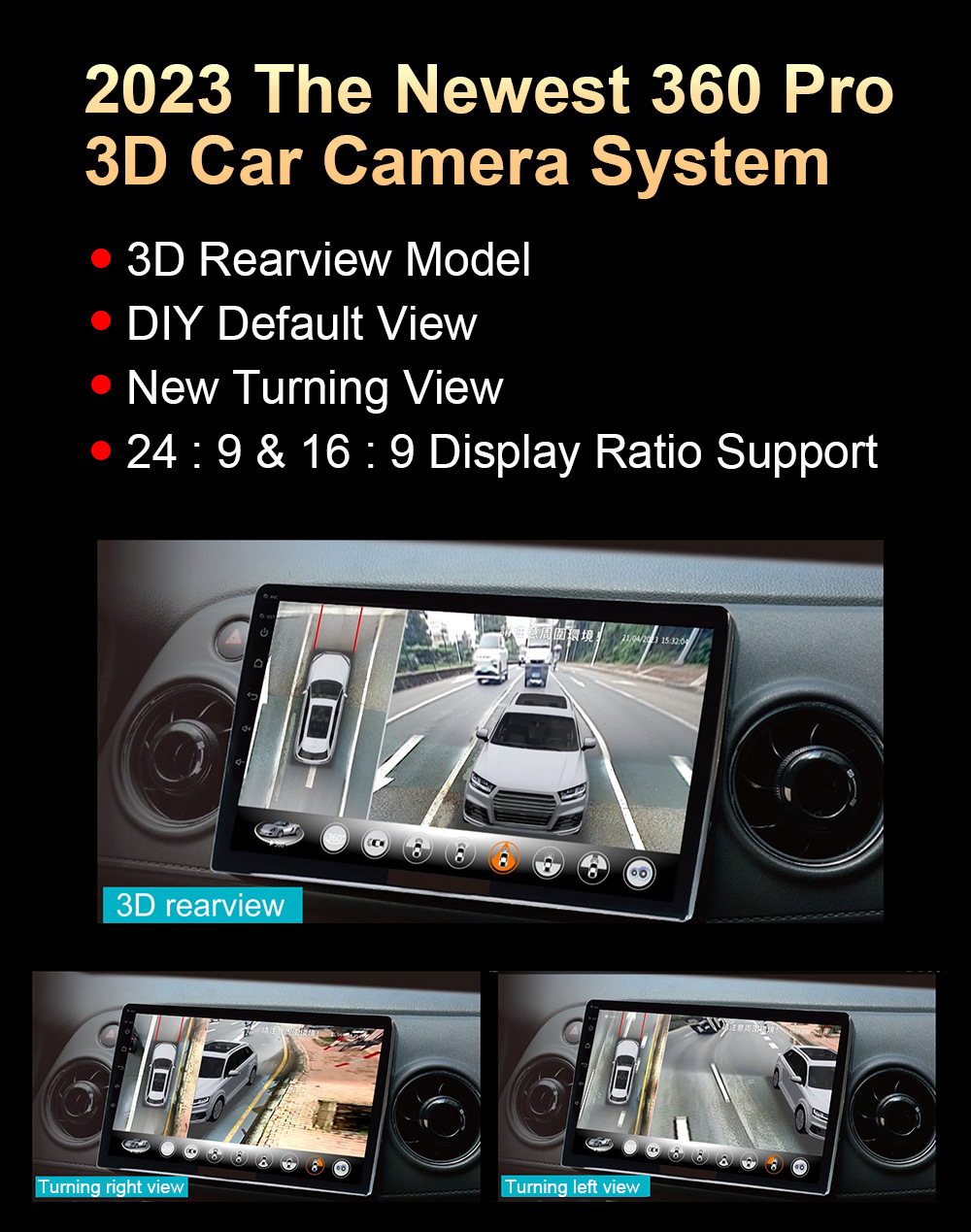
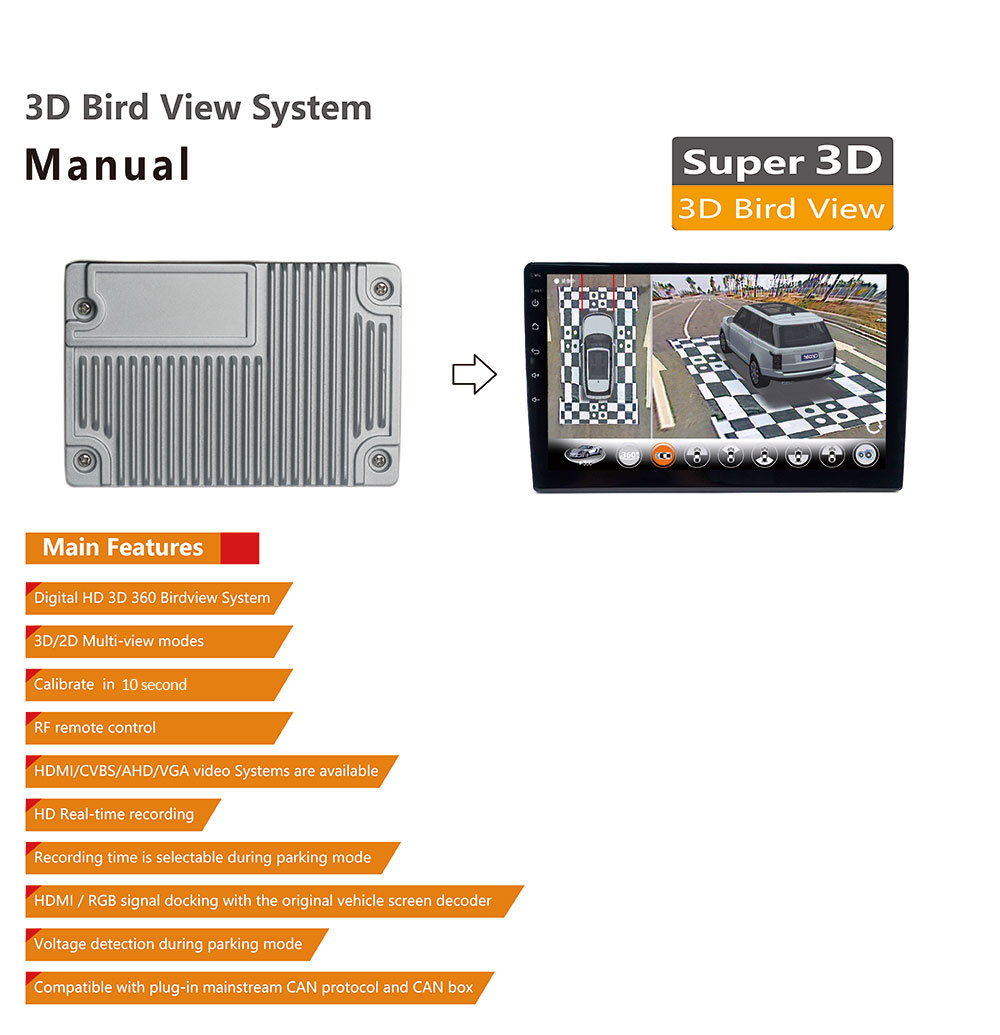
超级3D全景1080P摄像头360度鸟瞰环绕视系统,支持AHD,VGA,HDMI输出
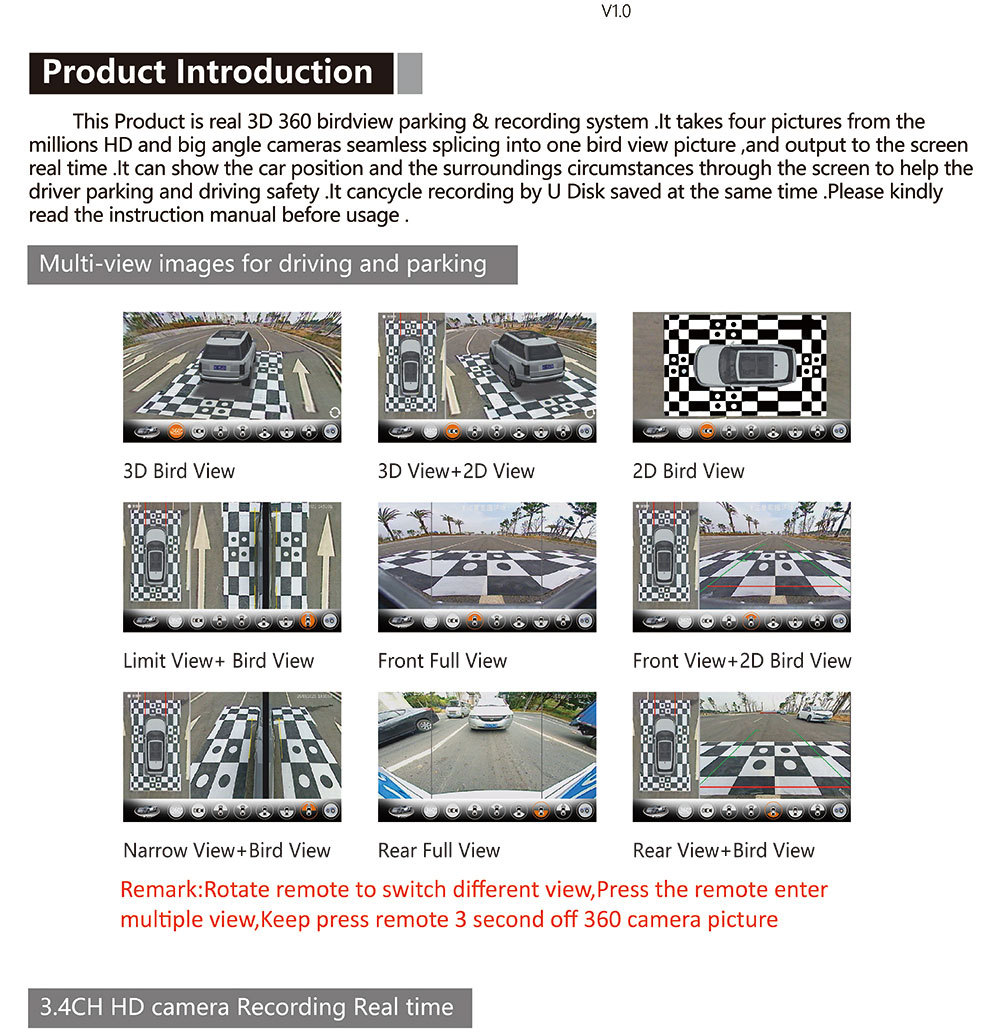
1.3D、2D视图,限宽,流媒体模式可切换
2.无线旋钮遥控器,不接摄像头触发线也可以自由切换摄像头画面
3.汽车启动后,画面自动旋转车身一圈,也可通过遥控调节角度
4.支持多视图模型2D、3D
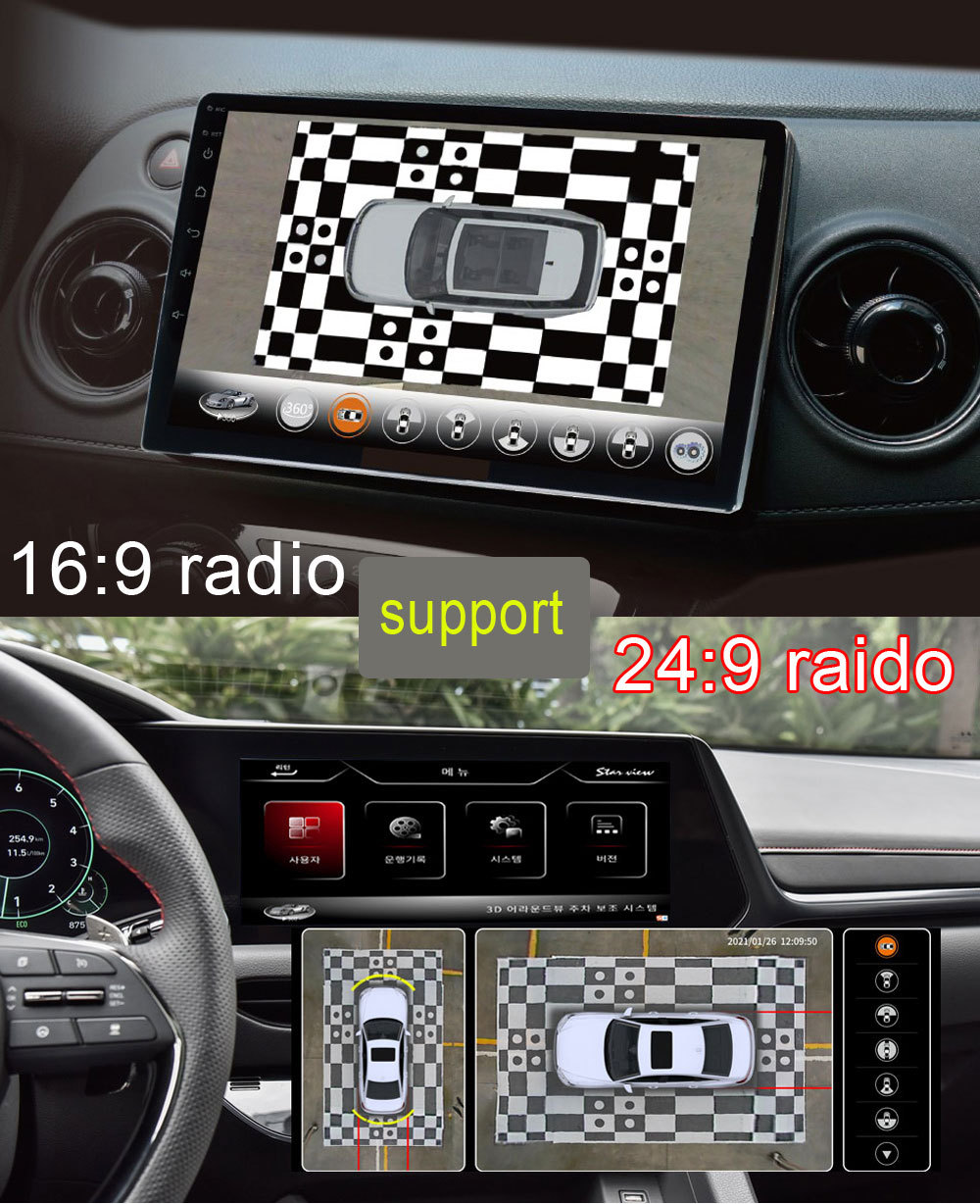
5.支持CVBS、AHD、VGA视频格式,支持16:9跟24:9宽屏模式
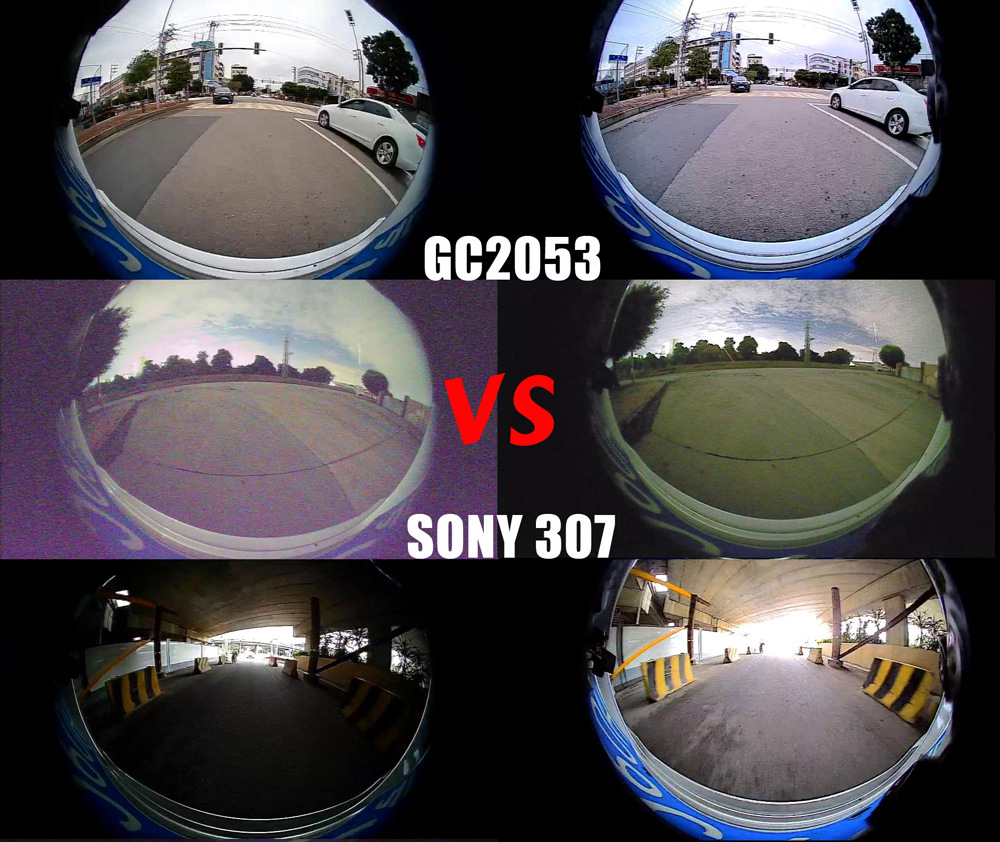
6.记录仪分辨率:2053:1920x1080P 索尼:1280*720P
7.支持全自动校准,10秒即可完成拼接(需要单独购买棋盘布)
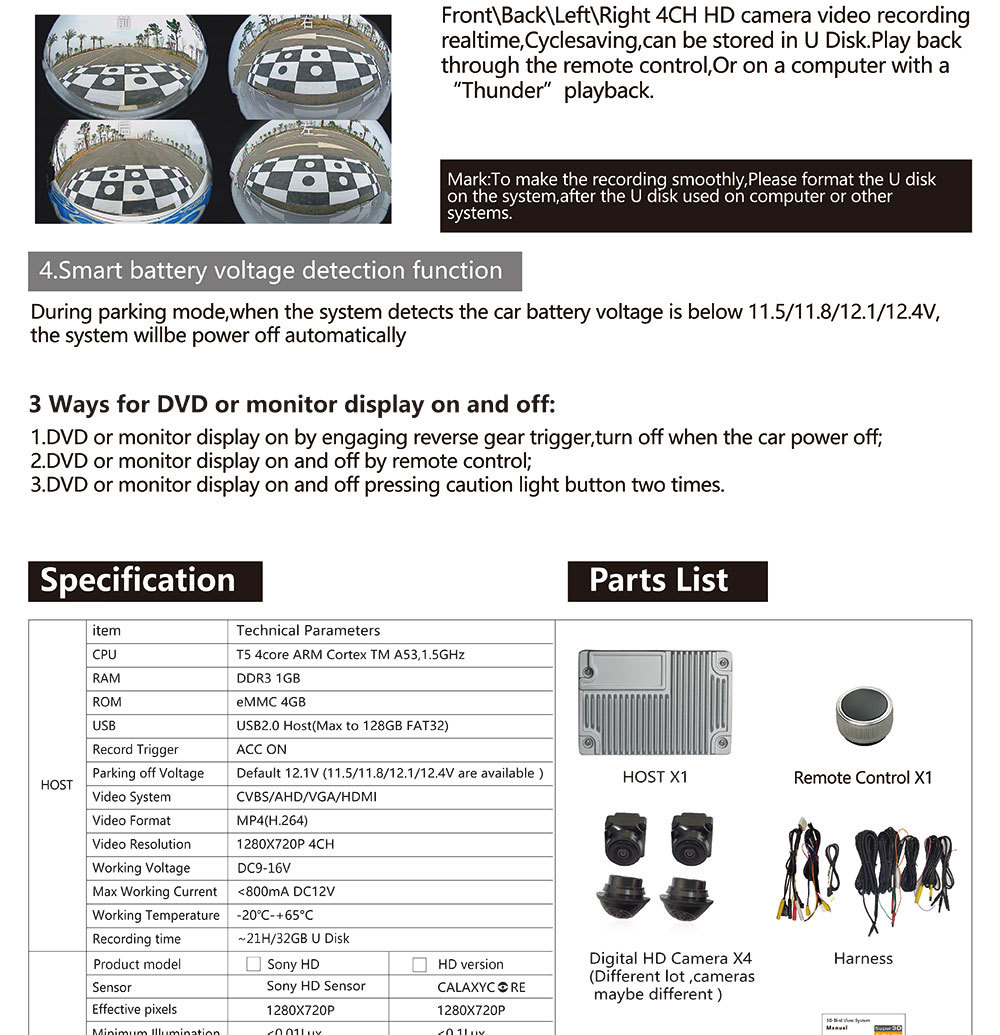
8.4路视频录制和播放,MOV视频文件。
9.停车监控,可设置2-24小时
10.循环记录,新文件自动覆盖旧文件。
11、可以保存重要视频,避免丢失
12.支持U盘16G-128G(3.0-3.5闪存,FAT32格式)
13.OSD语言:内置繁体中文、韩文、日文、英文
备注:原车自带屏幕需要外加解码器才能显示画面,后装市场的导航屏无须解码器
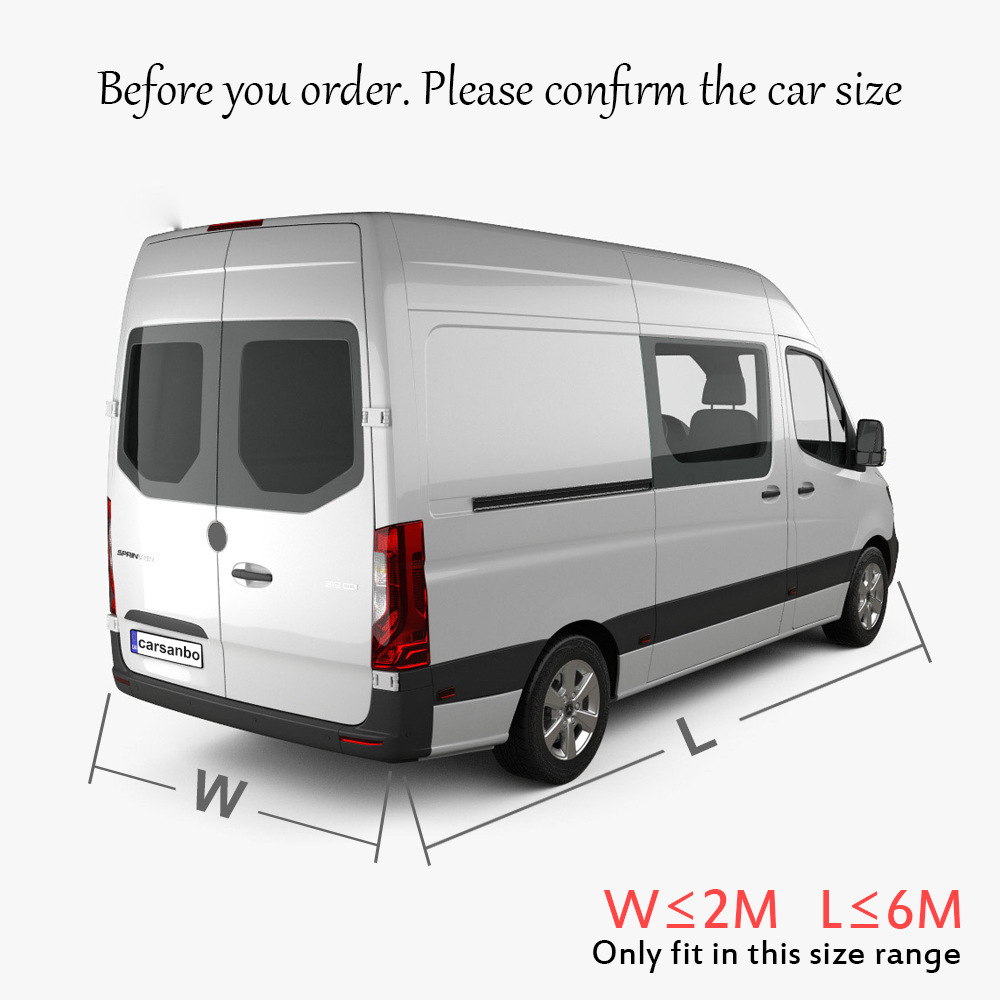
车辆安装尺寸最长不超过6米,宽度不超过2米
英文说明
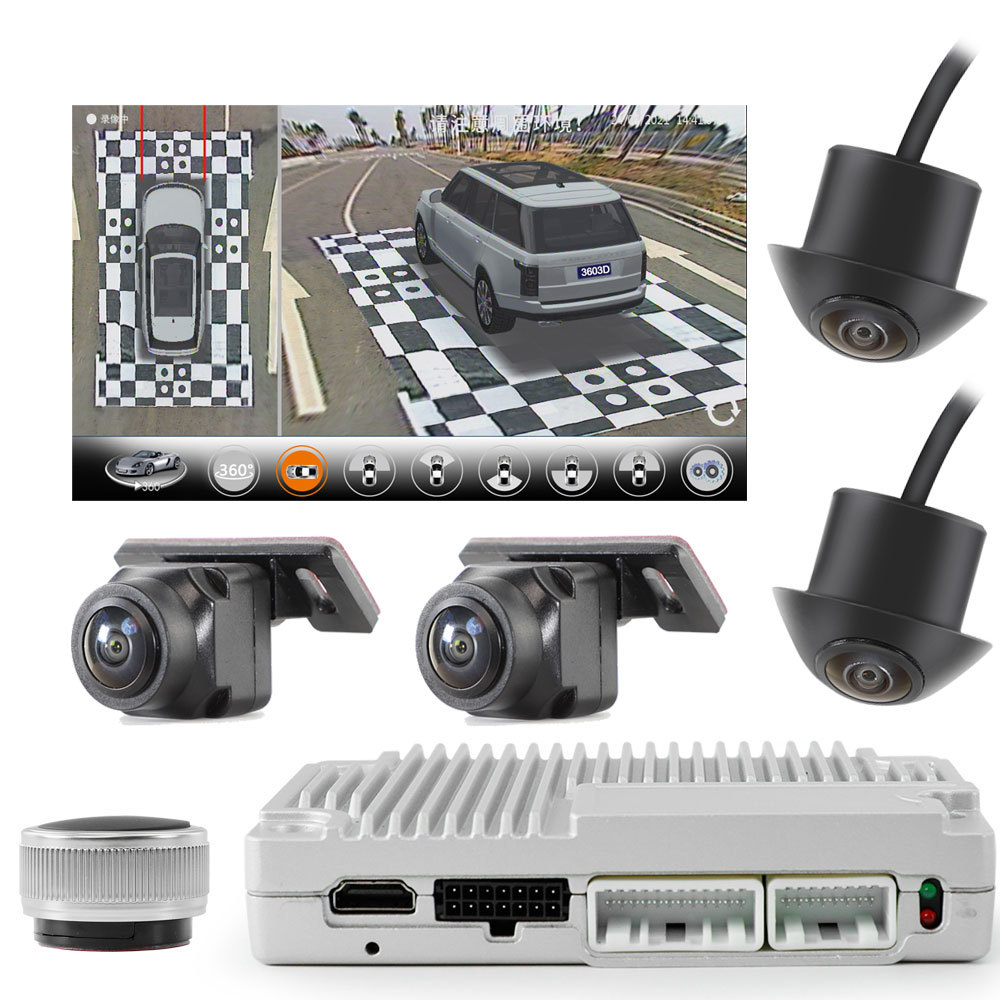
Super 3D Panoramic Camera 360 Degree SUV Car SVM Bird Eye Surround View Parking Monitor DVR System AHD VGA HDMI Output Support
1. 3D、2D view mode optional
2. Wireless knob remote control.
3. after car start, automatically circular display, also can adjust angle by remote
4. support multiple view model(Width limiting mode, streaming media)
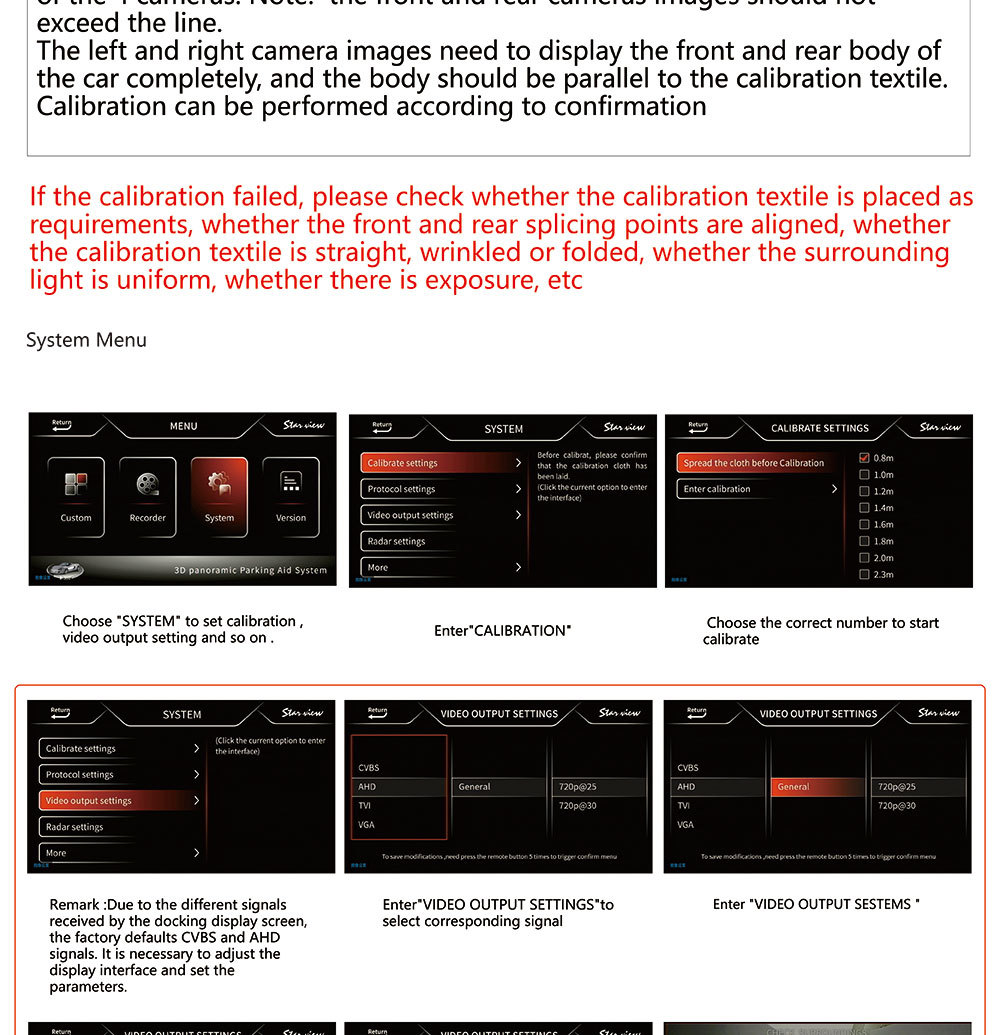
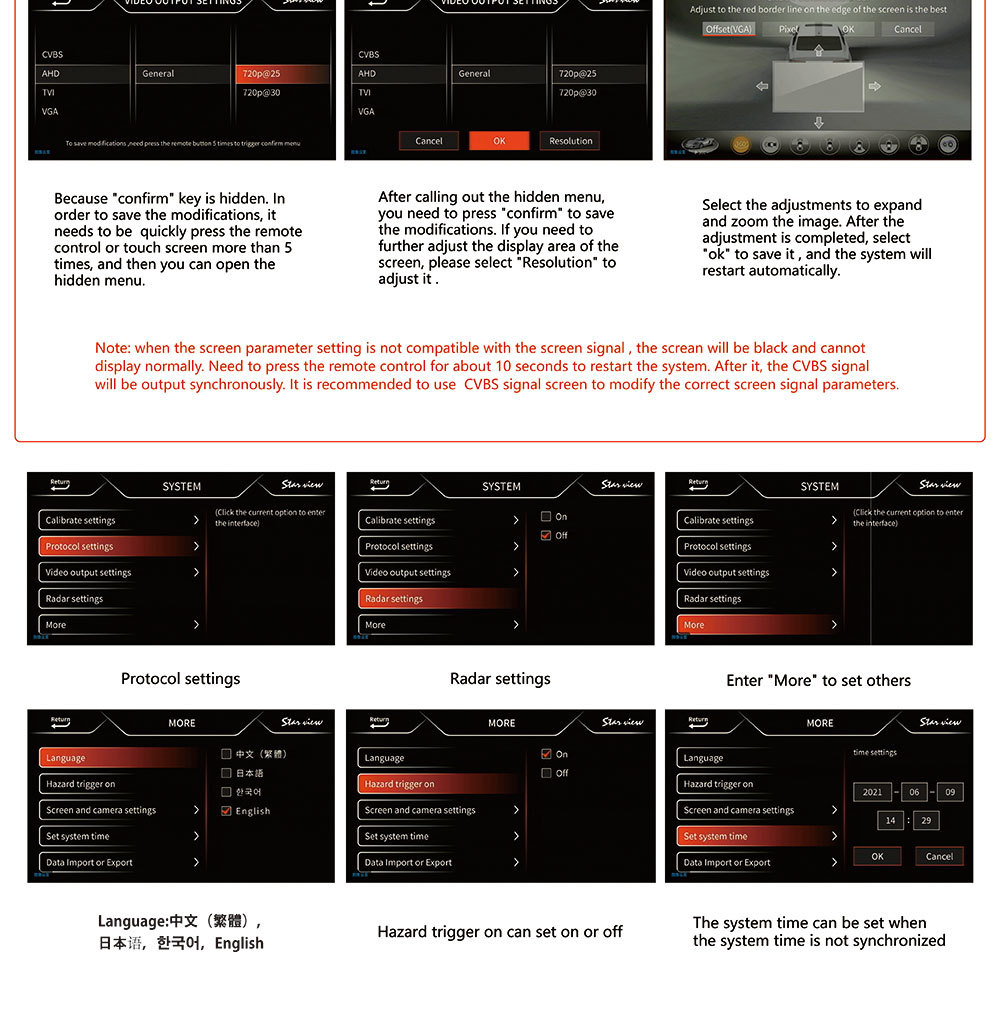
5. Support CVBS,AHD, VGA video format,Support 16:9 24:9 wide screen view
6. Recorder resolution: 2053:1920x1080P Sony:1280*720P
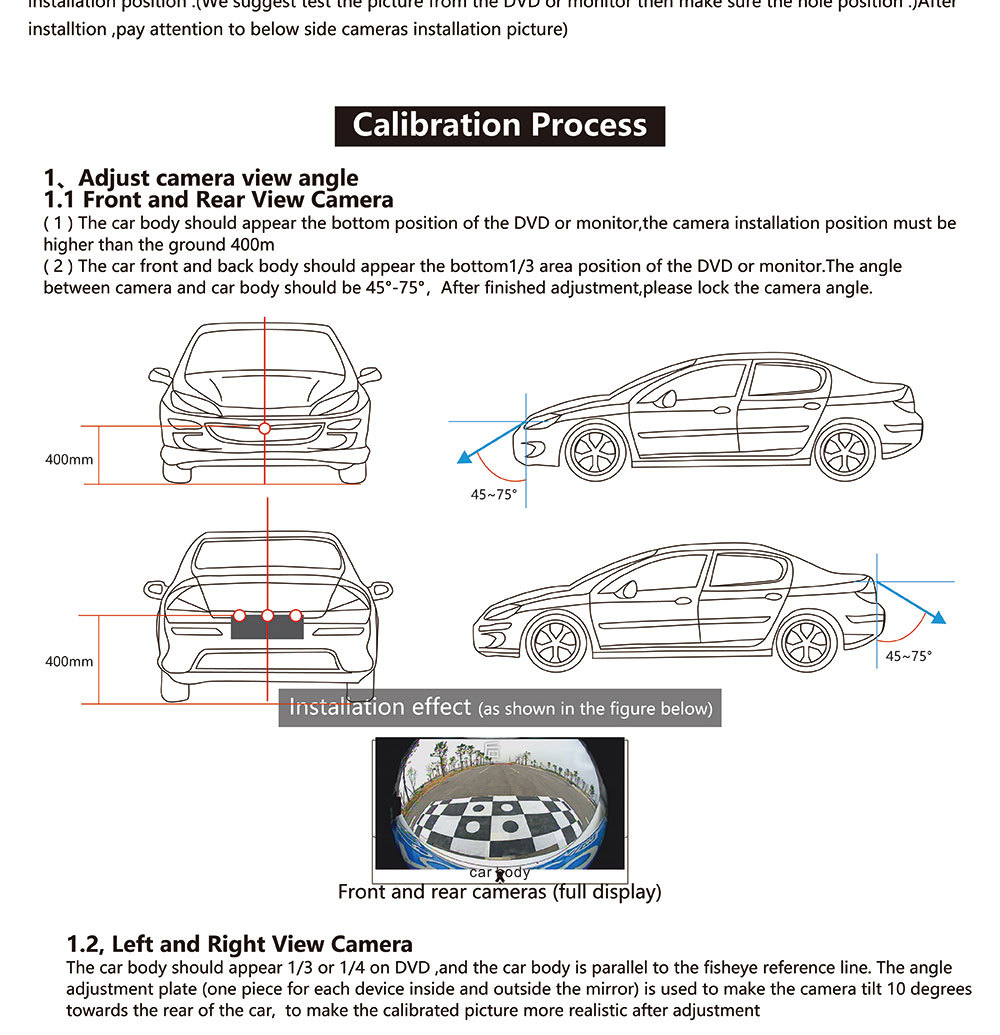
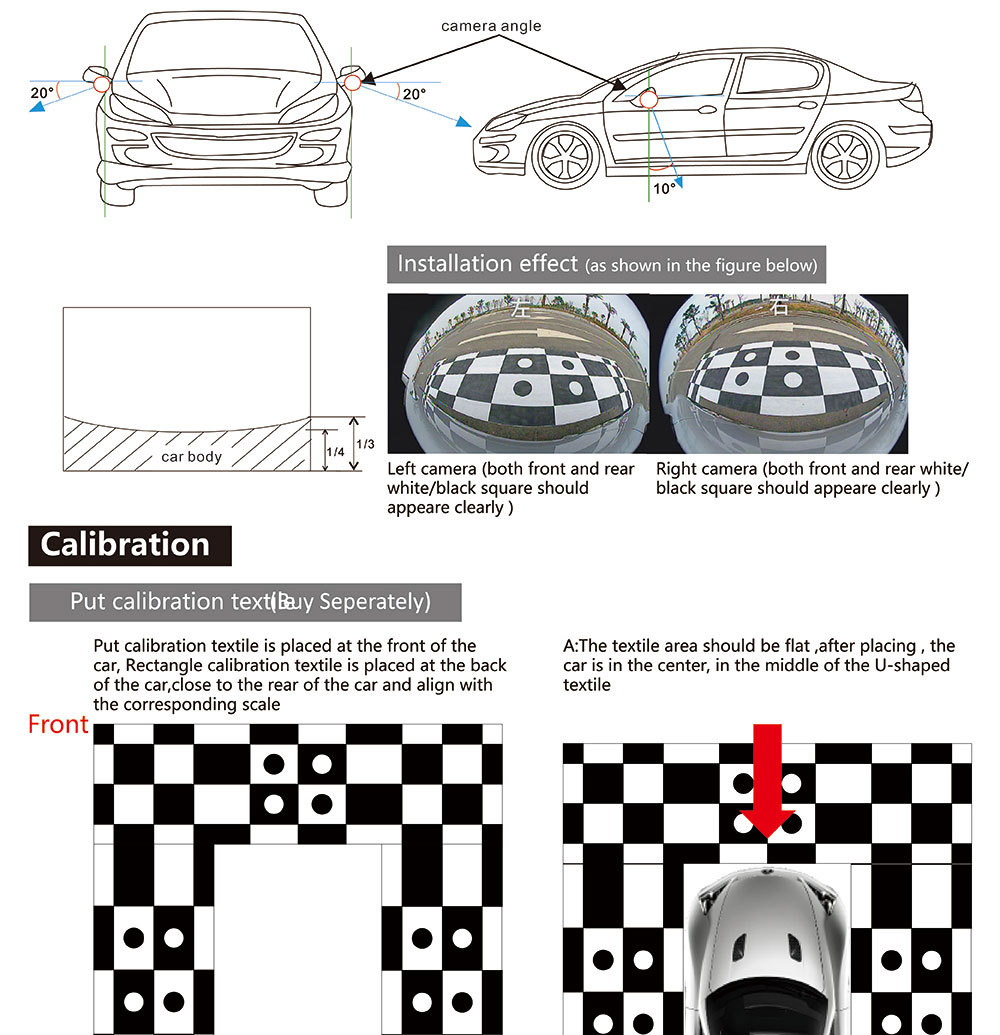
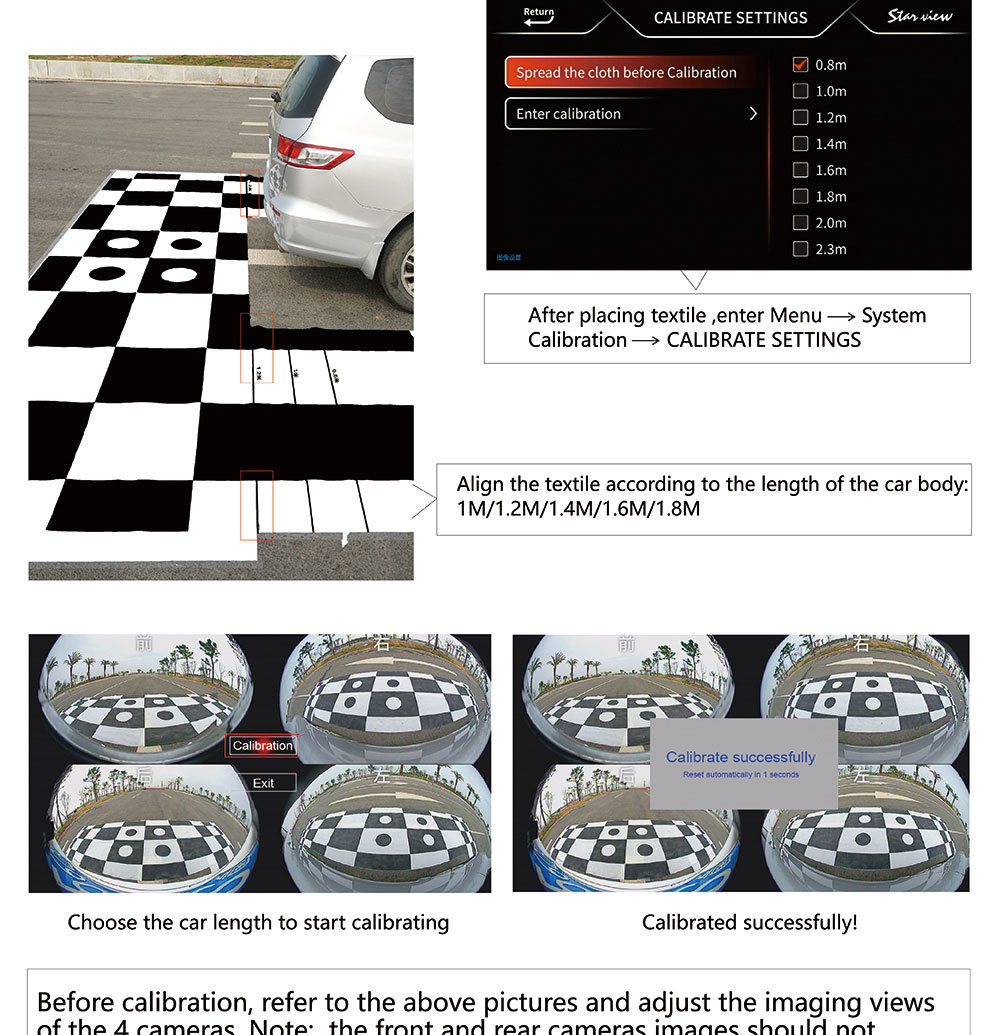
7. support full-automatic calibration, 10 second finish(The calibration cloth needs to be purchased separately)
8. 4 way video recording and playback, MOV video file.
9. parking monitoring, can set 2-24 hours
10. circular recording, new file automatically cover old file.
11. can save important video, avoid lost
12. support U disk 16G-128G (3.0-3.5 flash, FAT32 format)
13.OSD language: Built in traditional Chinese, Korean, Japanese, English
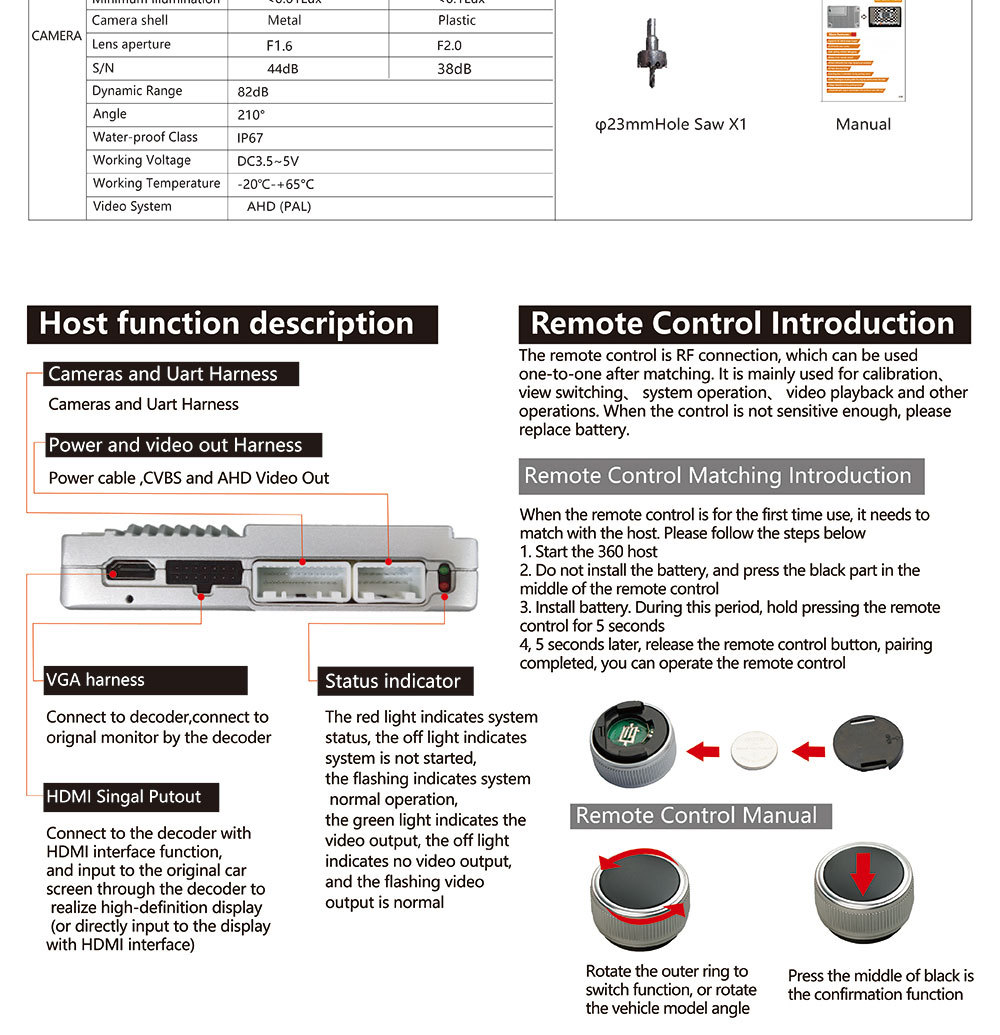
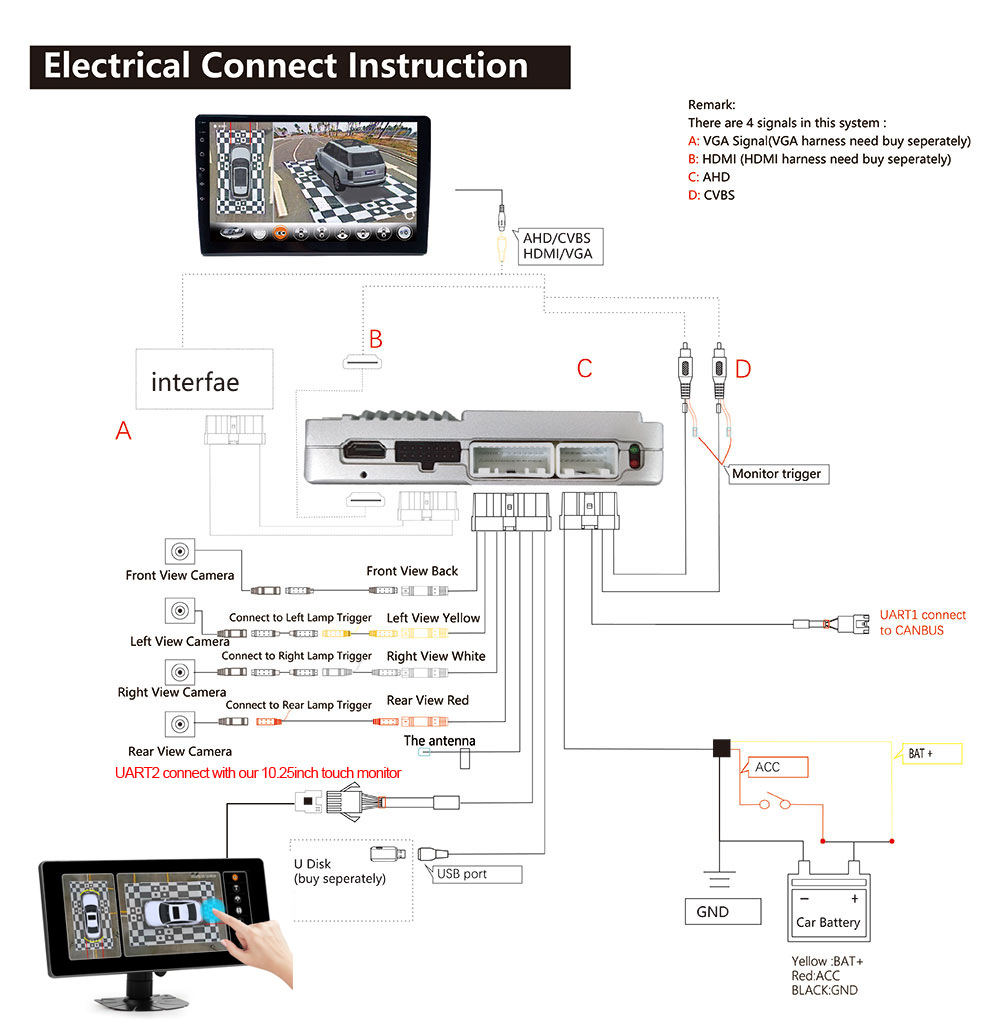
Note: The original car with its own screen need additional decoder to display the screen, after the market does not need the navigation screen decoder
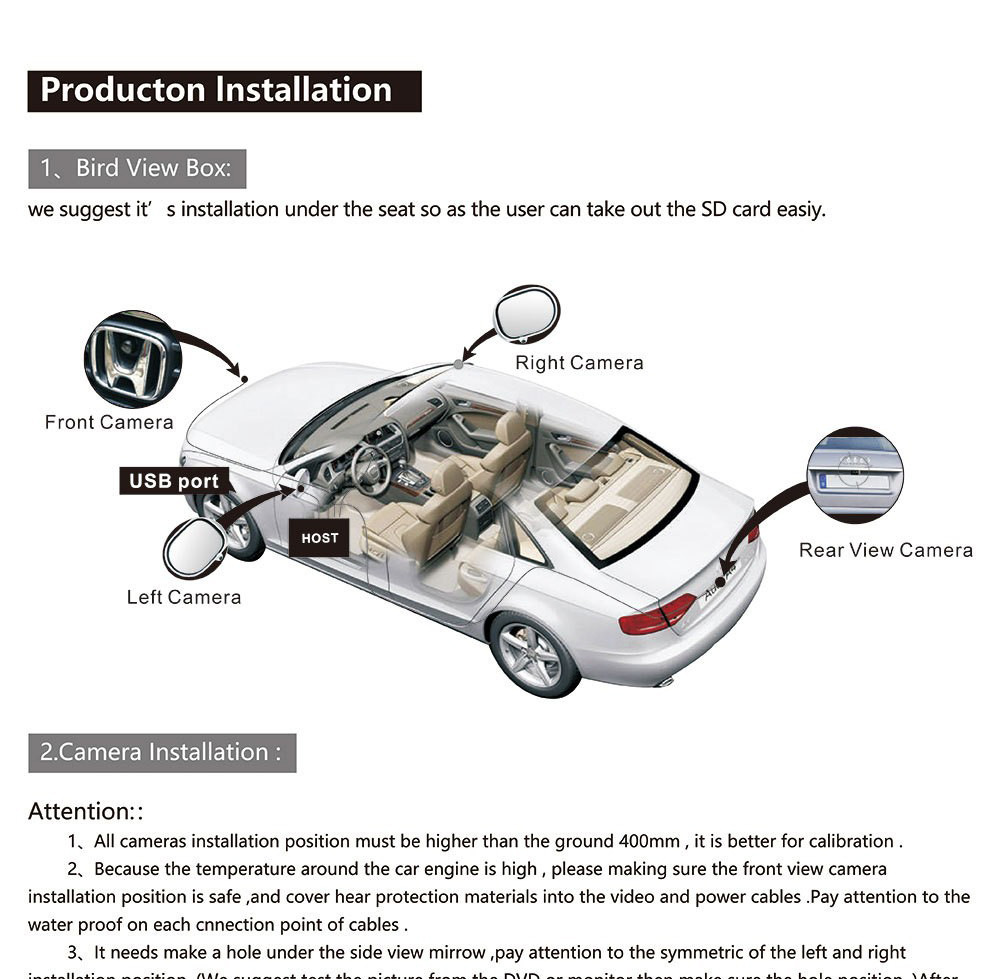
The maximum installed size of the vehicle shall not exceed 6 meters in length and 2 meters in width
To learn more ,please check the link as below
1.How to install 360 car camera system ?https://youtu.be/gkdTFsMK8FA
2.How to calibration 3D Pro 360 camera system ?https://youtu.be/Mpv5arNbd1Q
3.How to set video output to fit your monitor ?https://youtu.be/fSVQtFolp-4